Risk-free Shopify theme testing
A/B testing helps Shopify merchants experiment with different variations of a page to see which version performs better. It’s an essential technique used during conversion rate optimisation (CRO) to boost a store’s performance.
Until now, there has always been one major flaw with A/B testing – the tests are usually run on live traffic. Potentially, this has meant losing traffic and sales while testing the variation that doesn’t perform as well.
Shopify’s new SimGym app is the solution we’ve all been waiting for.
With SimGym, you can stress-test store changes in minutes, using simulated AI shoppers. This not only speeds up the process but also reduces risk for store owners.
In this article, we’ll explain how Shopify SimGym works and provide a step-by-step guide to help you set up and run your first simulation.
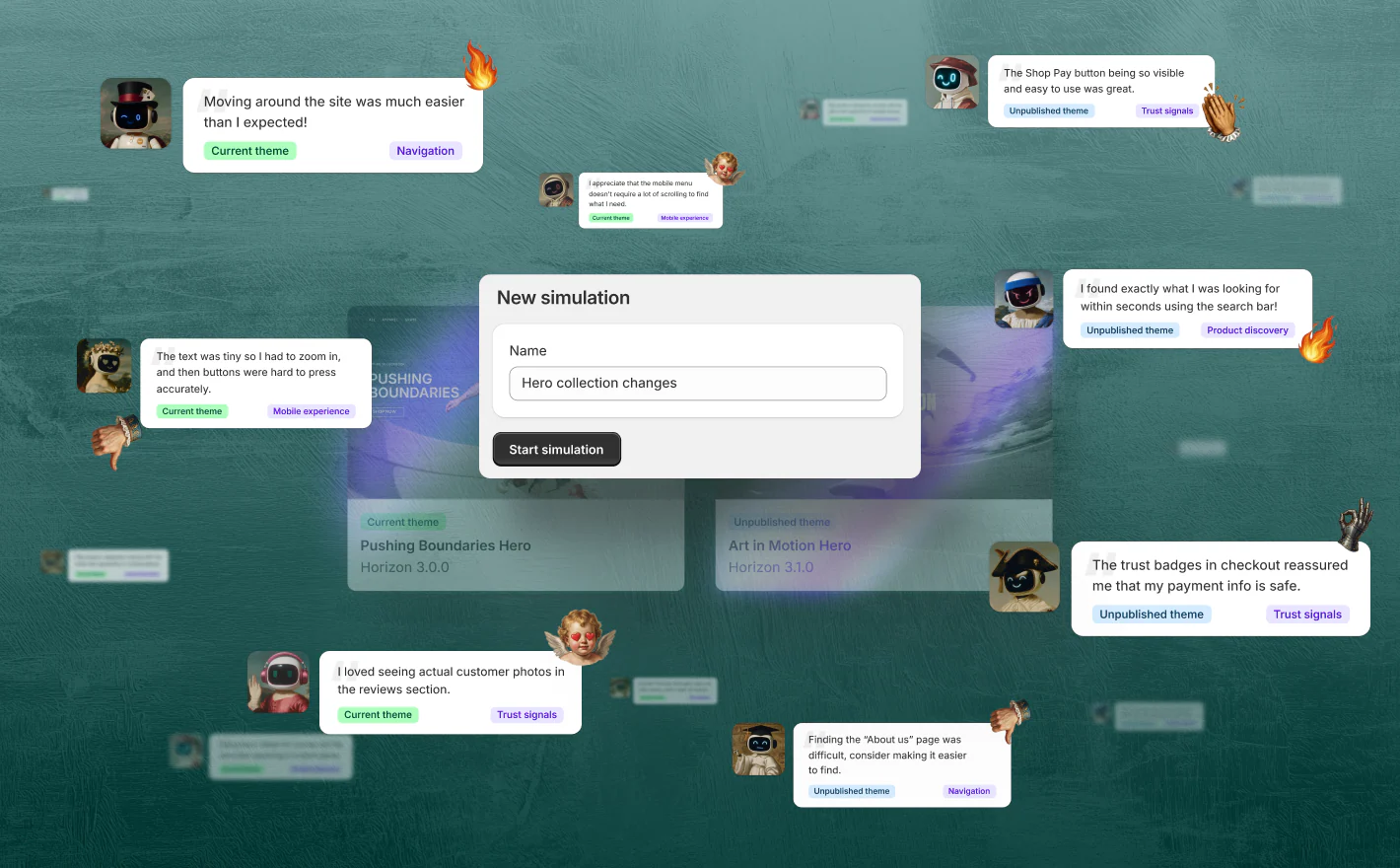
Image Credit: Shopify’s ‘Winter ’26 Edition reimagines what’s possible’ article
What is A/B testing, and why is it so important?
If you want your Shopify store to perform at its best, you can’t rely on guesswork. Every little change you make to your store’s design, layout, and user experience (UX) should be backed up by real data and insight. That’s where A/B testing comes in.
A/B testing is a technique that helps you make more informed eCommerce web design decisions. During an A/B test, you create two different versions of the same page and then pit them against each other to see which performs best. Typically, one version is the existing live page, and the other is a duplicate page where one or two variables have been changed, like the location of the navigation bar, logo design, or the wording of the CTA.
You then split traffic to the page, usually 50/50, between version A and version B and choose how long to run the test for (the average is usually about two weeks). During this time, you track key metrics like conversion rates, clicks, and time spent on page for each version. Then, at the end of the text, you analyse the results to find out which version performed best and identify potential issues.
The Shopify SimGym app is a pre-testing simulation tool that offers a safe, risk-free environment in which to stress-test potential layout or design changes. It is often used before live A/B testing to identify potential issues or friction points.
What is Shopify SimGym?
Shopify SimGym is an app released by Shopify as part of its Shopify Winter ’26 Edition. It can be accessed via the Shopify admin panel (Apps > SimGym).
SimGym solves A/B testing’s fatal flaw by providing a zero-risk testing environment where Shopify merchants can safely test different Shopify themes without affecting live traffic or sales.
When you create A/B tests using SimGym, rather than testing the two versions of your store on live shoppers, the app performs the test using AI shoppers with human-like personas that simulate buyer behaviour.
SimGym isn’t designed to replace traditional A/B testing, but to complement it. Think of it as a pre-test tool that can be used to test a different Shopify theme before committing to a live-traffic test.
The app operates on a pay-per-simulation model, so you’re not locked into a monthly subscription; you pay whenever you need to run a test.
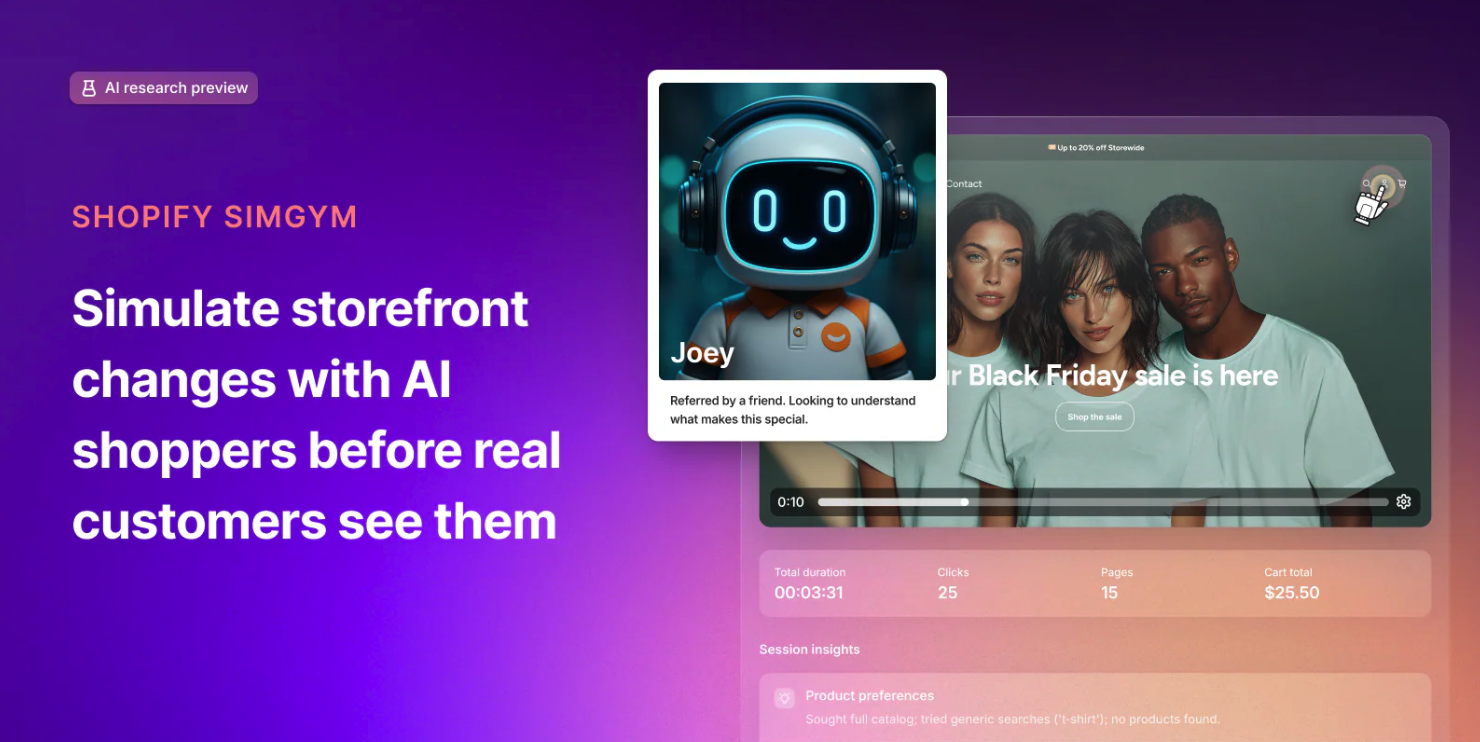
Image Credit: Screenshot from Simgym’s Shopify App Store Listing
How does Shopify SimGym make A/B testing more efficient?
Using the SimGym app rather than running tests on live website traffic can make A/B testing a new theme much quicker and more efficient. Key benefits of using SimGym rather than traditional A/B testing include:
Get results faster – With traditional A/B testing, after you’ve finished setting up the test and put it live, you need to wait a couple of weeks while the test gathers data. In comparison, SimGym runs the test in a simulated environment, gathering results within 10 – 15 minutes.
No revenue loss – Because SimGym doesn’t use live traffic, there is no risk of losing potential sales on the variant that performs worse.
Test bold ideas – The potential risks associated with traditional A/B testing might have put you off testing bold changes in the past. SimGym’s risk-free environment can give you the confidence to try bolder ideas.
Are there any drawbacks to using SimGym for A/B testing?
The main limitation of SimGym is that it is only designed for testing your active Shopify theme against another theme in your Theme Library. It cannot test external third-party sites or apps, complex checkout flow changes, or very granular page elements.
It’s also important to note that while AI shoppers are designed to mimic real customer behaviour, they prioritise logic and may not pick up on emotional nuance like real shoppers. For this reason, results may sometimes differ when the same test is performed on real shoppers.
What metrics does Shopify SimGym provide?
Of course, the success of any A/B test relies on the quality of the data you gather from it. After running an A/B test using SimGym, the tool analyses the results, identifies which version performed the best, and provides key performance metrics, including:
- Add-to-cart rate: The percentage of visitors who added an item to their cart.
- Cart value: The total value of items in a customer’s cart.
- Shopper navigation patterns: The paths visitors take through your store.
- Conversion rate: The percentage of visitors who completed a desired action (ie, buying something).
It also provides useful qualitative and actionable feedback from AI shoppers, like “I abandoned the cart because I couldn’t find the return policy link on the product page.” If you want to, you can even click on individual AI shoppers and view their browsing behaviour and feedback.
Image Credit: Screenshot from Simgym’s Shopify App Store Listing
A step-by-step guide to setting up your first simulation using SimGym
Ready to learn more about how to use SimGym? We’ve created a step-by-step guide to help you set up and run your first simulation test with minimal fuss.
- Define your mission: Before you start, you need to set a clear goal for the AI agents so they know what it is you want them to test. This could be something like “find a gift for a newborn baby for under £25” or “purchase any product using a discount code”.
- Create a draft theme: Next, create a draft theme in your Shopify theme library. This theme should contain the changes that you want to test.
- Install and open SimGym: If you haven’t already, install the Shopify SimGym app from the App Store and then open it from your Shopify dashboard.
- Create a new simulation: Click to create a new simulation, define the test mission, and configure the basic test parameters (like the number of AI agents to deploy).
- Select the two themes to test: Now you’ll be asked to select the two themes you want to test. The control theme is usually your live theme, and the variant is the draft theme you created earlier.
- Run the simulation: It’s time to put your test live! Simulations usually take around 10-15 minutes to complete.
- Analyse the results: Once the test has finished running, you can review key performance metrics, heatmaps, and replay logs to compare how the two themes performed and identify friction points.
Examples of how and when to use SimGym
SimGym is a versatile tool that can be used to test all kinds of critical changes to your Shopify store, from navigation changes to full redesigns. Running a pre-test simulation will help you to test new ideas safely and make more informed, data-driven decisions about your store design.
Here are some common scenarios where SimGym can be used to uncover potential issues before changes go live.
When planning a store redesign
SimGym can help compare the performance of your new design with your old design to identify issues like confusing layouts, hidden CTAs, and broken links.
When overhauling navigation
If you plan to change how your store’s navigation is structured, first, run a simulation to discover whether the new structure makes product discovery easier or creates more friction.
When experimenting with new homepage layouts
Want to try out a new hero banner, featured collection block, or content layout? Run a simulation to ensure users can still find your core products quickly.
Partner with Create8 to optimise your Shopify store’s performance
Here at Create8, we are proud to be a Shopify partner. Our team of specialist Shopify web designers and developers can help you to fine-tune your store to start winning more sales.
We help brands use tools like Shopify SimGym to take the guesswork out of store design and start making data-led design decisions that drive real results.
To discuss your ideas with our team or for tailored Shopify advice, give our team a call on 0161 820 9686 or submit a contact form online.
“SimGym gives us the ability to test design decisions before real customers ever see them. From a digital design perspective, that’s huge for performance because we can validate navigation, layouts, and key conversion moments without risking live revenue. At Create8, we’re looking into using SimGym to help brands launch new themes and redesigns with confidence, ensuring every change is backed by data and focused on driving measurable growth.”
— Dom, Digital Designer at Create8