Is your Shopify store performing at its best?
To ensure that your store is always performing at its best, you’ll need to commit to a process of continual refinement and improvement. The most successful eCommerce brands ensure that every change to their store’s layout, pricing, or user experience (UX) is made with purpose and backed by data. That’s where A/B testing comes in, as it shows just how much small tweaks are capable of driving big results.
In this article, we’ll explain everything you need to know about performing high-impact A/B tests on your Shopify store, so that you can optimise your store’s performance and start winning more conversions.
What is A/B testing?
A/B testing is a strategic process that helps Shopify merchants to test two different versions of a page design, feature, or offer, to see which version performs best.
It is a data-driven strategy that uses key performance indicators (KPIs) like conversion rates and revenue to draw its conclusion.
However, it only delivers real value when done properly! That’s what we’re here to help with. Let’s begin by breaking down the jargon.
Key terms and metrics
You’ll need to have a clear understanding of the following abbreviations and metrics before we delve deeper into A/B testing.
- Conversion Rate (CR): The % of visitors who buy.
- Average Order Value (AOV): The average amount that customers spend per order.
- Revenue per Visitor (RPV): How much money you make per visitor.
- Buy Now, Pay Later (BNPL): A payment option that allows shoppers to pay in instalments.
- Sample Ratio Mismatch (SRM): When traffic isn’t split evenly between the two test versions.
- PDP -> ATC: The rate of users moving from a Product Detail Page to Add-to-cart.
Ok, now that’s out of the way – let’s get started.
How to perform effective A/B testing in Shopify
If you’re new to A/B testing, we’re going to explain the easiest way to start testing properly and achieve real results.
But first, we recommend evaluating your store to make sure you’ve got all the basics covered. If site speed is slow, user experience (UX) or accessibility is poor, or your store isn’t optimised for conversions, resolving these issues should be your top priority.
If you need help optimising product pages or require custom Shopify development, our team here at Create8 can help!
But if you’re confident that your Shopify store is in good shape, let’s proceed!
As with any type of experiment, it’s important to approach A/B testing strategically and armed with a clear plan and goal.
Step 1: Create a hypothesis
Think back to your high school science lessons. Every experiment started with a hypothesis. It’s good to approach A/B testing in the same way. This will give you clarity about what you’re testing and why, helping you to focus on one clear goal.
First, decide what it is you want to change and think about what you expect to achieve by doing so.
For example, your hypothesis could look like this: If we use photos of real people wearing our clothes, more visitors will make a purchase, because it will be easier for them to picture themselves wearing our products.
Step 2: Choose one main goal (KPI)
Think about what it is you’re aiming to improve. Set one main goal and think about what your key performance indicator (KPI) is.
Your main goal in the example above would be to win more sales, so your KPI would be conversion rate.
Although you should set a primary goal, it’s worth keeping an eye on other relevant metrics like refund rates or the number of support tickets received too.
Step 3: Make the changes and set up the test
Now you’re ready to set up the test! Create the two different versions of your test – Version A (the original) and Version B (the one with the change).
That’s it! Once the test has finished, compare your results to see which version performed better.

How to run A/B tests you can trust
Of course, there’s no point running any kind of test if the results you get at the end aren’t reliable. That’s why we’ve put together a few tips for running A/B tests that you can trust.
These tips all concentrate on making sure your test is fair, focused, and free from outside interference.
- Let your test run for a minimum of 14 days
You must, must, must run the test for at least 14 days to give you time to collect enough data. Aim to run it until you have 15–30 conversions per variant – the more data you have, the more accurate your results will be.
- If you sell high-ticket products, run tests for even longer!
High-ticket items tend to have a longer decision cycle, so the length of your test should reflect this.
- Keep everything else the same
Keep your ad budgets, targeting, and offers stable during the test. That way, you’ll know that the results reflect the changes you’ve made and not some other variable!
- Know when to run the test server-side
Any changes that involve changing elements like price or shipping should be run server-side to ensure that data is tracked accurately.
- Check your traffic is being split 50/50
If one version of your test is getting more traffic than the other, the results won’t be fair!
- Quality check your results
Remember, it’s not just about which version gets the most sales; you should also compare refund and return rates and support tickets.
Keep these points in mind, and your tests should provide you with real and actionable insights.
Which big changes should you test first? (by industry)
To achieve the most meaningful results from A/B testing, start by testing big-impact changes. These are the things that are most likely to affect customer buying decisions, like pricing, images, delivery info, and trust factors.
Need some help identifying what to test first? We’ve created a quick guide to the most high-impact changes to test, depending on which industry you’re in.
Fashion and apparel
- Size and fit guides.
- Returns policy messaging.
- Product imagery and videos.
- Buy Now, Pay Later visibility.
Beauty and skincare
- Routine builders and bundles.
- Ingredient transparency.
- Subscription offers.
Home and furniture
- Clear product dimensions.
- Estimated delivery dates.
- AR tools or product videos.
Electronics and high-ticket items
- Comparison tables.
- Warranties and guarantees.
- Buy Now, Pay Later visibility.
Supplements and food
- Subscription vs one-off.
- Flavour or size variants.
- Claims and certifications.
Gifting and seasonal products
- Delivery cut-offs.
- Gift wrap options.
- Recipient vs. buyer messaging.
Low-volume stores
- Pricing.
- Bundles.
- Free shipping threshold.
- Landing page layout and messaging.
10 high-impact A/B tests for Shopify stores
Are you ready to take your A/B tests to the next level? To help you create more impactful tests, we’re revealing ten high-impact A/B tests that we use at Create8 to help eCommerce brands boost store performance and start winning more sales.
1. Free shipping threshold
Offering free shipping can help to incentivise customers to buy. However, where you set your free shipping threshold can impact conversion rates and average order value (AOV).
When to use it: If your store’s AOV is often just below your free shipping threshold.
What to test:
- Different thresholds.
- Free shipping progress messaging (e.g. “You’re £7 away from free shipping!”)
KPIs: AOV, conversion rate, cart abandonment rate.
2. Bundle discounts and price formatting
By creating different product bundles and pricing tiers, you may be able to increase perceived value and repeat purchases.
When to use it: When you have healthy margins and loyal customers who make repeat purchases.
What to test:
- 1 product vs a 2-pack (save 10%) vs a 3-pack (save 15%)
- Round numbers vs charm pricing (e.g. £40 vs. £39.99)
KPIs: Revenue per visitor (RPV), new customer conversion rate.
3. Design and layout of product pages above the fold
What visitors see first above the fold, especially on mobile, can make or break their decision to scroll further down the page or add a product to their basket.
When to use it: If lots of people are viewing your product pages, but Add to Cart clicks are low.
What to test:
- What is displayed first: video vs. image.
- Move product benefits higher up the page.
- Display shipping and returns information above the fold.
KPIs: PDP -> ATC rate, conversion rate.
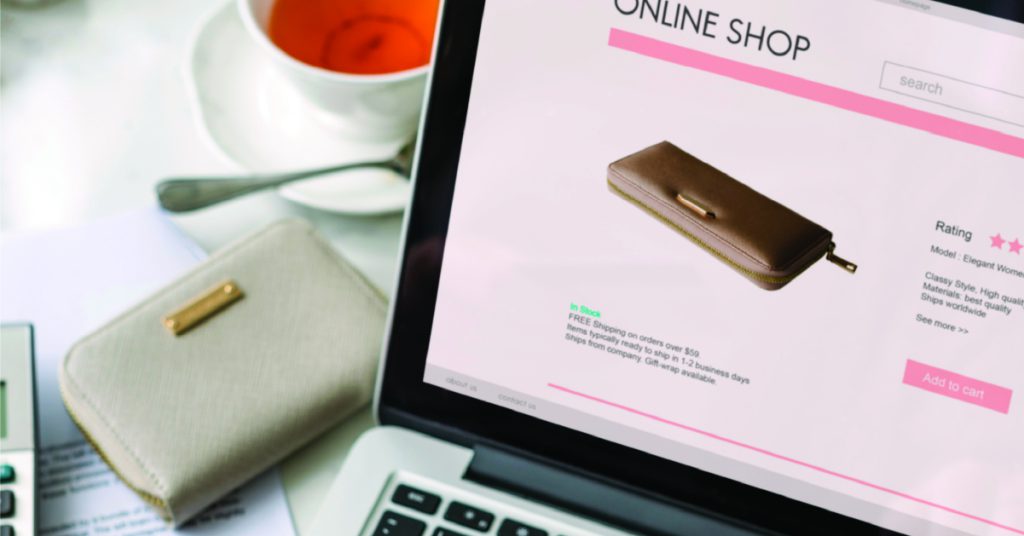
4. Add to Cart button design
Making small changes to your CTA (call to action) can have a dramatic effect on whether people take the desired action or not.
When to use it: When you have plenty of traffic to your product pages but low engagement or clicks.
What to test:
- Button copy, e.g. Add to Cart vs Buy Now.
- Sticky ATC bar on mobile.
- Button colour, size, and placement.
KPIs: ATC rate, checkout start rate.
5. Where reviews and UGC are positioned
Incorporating social proof throughout your store helps to build trust and credibility. Experiment with where you place social proof to provide visitors with the reassurance they need to keep moving along the path to purchase.
When to use it: When you have a collection of excellent reviews but low conversion rates.
What to test:
- Product star rating near price.
- Customer photos above the fold vs. below.
KPIs: Visitor time on page, conversion rate.
6. How collection pages are sorted and displayed
If you sell a large number of products, it’s easy for shoppers to become overwhelmed by choice. Improving how your products are sorted or displayed will help them to find what they’re looking for faster.
When to use it: If you have a large number of products and high bounce rates on collection pages.
What to test:
- Sort by “Bestselling” vs. “Newest”.
- 2-column vs. 3-column grids.
- Quick-add buttons.
KPIs: Collection -> PDP click-through rate, conversion rate.
7. Checkout page improvements
Making small changes to speed up and simplify your checkout page can reduce friction and cart abandonment.
When to use it: If lots of people are adding items to their cart and then abandoning it before they’ve checked out.
What to test:
- Placement/order of Shop Pay, Apple Pay, and PayPal.
- Postcode lookup tools.
- Microcopy (e.g. “Secure checkout” and “Free returns”).
- Checkout progress bar.
KPIs: Checkout -> purchase rate.
8. When and how you capture emails/SMS
Every subscriber on your mailing or SMS list is a valuable opportunity to drive future sales, repeat purchases, and long-term brand loyalty. Changing when and how you ask people to sign up can significantly improve your chances of success.
When to use it: If your bounce rate is high and your mailing list growth is slow.
What to test:
- Trigger: exit intent vs. scroll vs. time delay.
- Offer: 10% off vs. free shipping.
- Form style: single-field vs multi-field.
KPIs: Signup rate, RPV from captured users.
9. Ad landing page experience
Sending traffic generated from ads to an ineffective landing page can damage your ad ROI. Optimising your landing pages will improve ad performance.
When to use it: If you are running paid ads which are performing poorly.
What to test:
- Landing page type: PDP vs. collection vs. quiz/guide.
- Designing landing page imagery and headlines that complement the ad.
- Add FAQs or reviews related to the ad.
KPIs: Session conversion rate, revenue per visitor (by campaign).
10. Add incentives to nudge visitors along the customer journey
Keep visitors engaged and encourage them to keep taking the next step by adding incentives throughout the user journey.
When to use it: If cart abandonment is high despite lots of visitors engaging with your product pages.
What to test:
- Progress bar (e.g. “You’re £12 away from free delivery!”)
- Cross-selling.
- Delivery promise messaging (e.g. “Order in the next 2 hours for next-day delivery”).
KPIs: Cart -> checkout rate, AOV.

The best tools for A/B testing on Shopify
The right tools make A/B testing a lot easier and ensure the results you achieve are reliable.
Here are some of our favourite A/B testing tools here at Create8:
Theme/UI testing
These are our three tools for testing different page designs, button placements, or copy. Create and test different versions of your website’s front end without touching any code!
Price, shipping, and bundle testing
Intelligems is a great tool for performing server-side tests when testing things like pricing, free shipping thresholds, and discounts – basically anything tied to revenue!
Cross-sell and upsell testing
Rebuy is our tool of choice for testing and optimising personalised product recommendations, bundles, and post-purchase offers.
Email and SMS flow testing
Klaviyo is the one tool to rule them all when it comes to testing and refining automated marketing flows. Use it to A/B test different email subject lines and designs.
Analytics and heatmaps
Want to learn more about how users are behaving on your website? Use these tools to find out where users are leaving your store.
- Google Analytics and Shopify reports
- Hotjar
- Lucky Orange
Partner with Create8 to optimise your Shopify store’s performance
At Create8, we specialise in helping eCommerce brands grow. As a trusted Shopify partner, our Shopify development team are here to help you improve your store’s user experience and build conversion-optimised product pages.
From small design tweaks to full Shopify store redesigns, let us help you make your Shopify store the best it can be.
Contact us today by emailing hello@create8.co.uk or calling 0161 820 9686 to discuss your goals and learn more about how we can help.